The Apple Watch Interval Training App Built Around VO2 Max
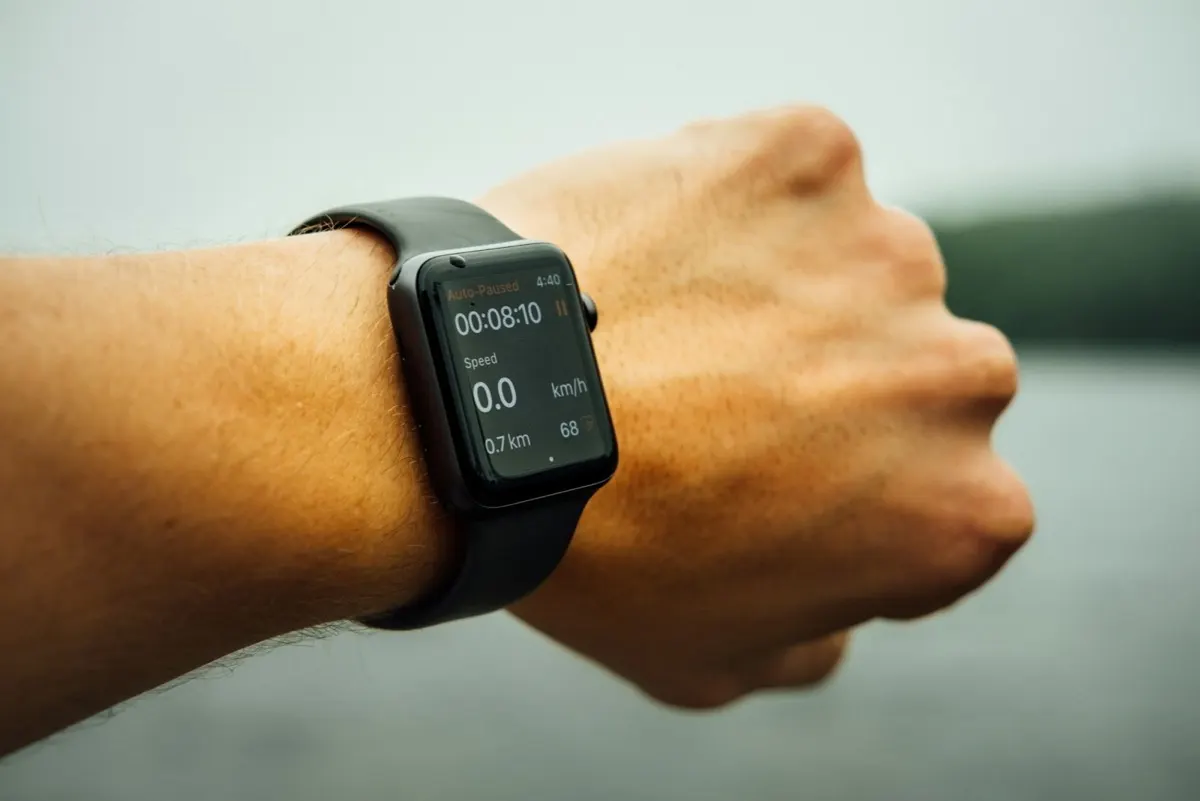
 Run these workouts on your iPhone, or hands-free on Apple Watch. Get PEAKVO2
 PEAKVO2 is an interval training app for iPhone and Apple Watch, built around VO2 max protocols, with wrist-based timing, haptic cues, automatic phase changes, and 16 ready-to-run workouts. It runs directly on the Apple Watch with no phone needed, showing full-screen color-coded phases so you always know whether you are in warm-up, work, or recovery.
Interval training is the one kind of workout the Apple Watch is genuinely built for: the effort is timed, not distance-based, so the value is in knowing exactly when to go hard and when to ease off, glanceable on your wrist. PEAKVO2 is designed around that.
Why the Apple Watch Suits Interval Training
An interval workout lives and dies by timing. You need to start each hard effort and each recovery at the right second, and checking a phone mid-sprint breaks the session. On the wrist, the cue comes to you: a haptic tap and a full-screen color change tell you to switch without looking. That is why a watch-native interval app beats a phone timer or a paper plan for this specific job.
What PEAKVO2 Does on Apple Watch
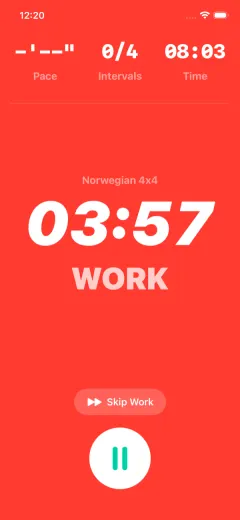
- Full-screen color-coded phases. Warm-up, work, and recovery each have their own color, so a glance tells you where you are in the session.
- Automatic transitions with haptics and spoken cues. The app moves you from phase to phase on its own, taps your wrist, and speaks a cue at every switch (for example, when to switch to recovery). Nothing to tap mid-interval, and you can train by ear.
- Runs on the watch, no phone required. Start the workout on the Apple Watch and leave the iPhone behind.
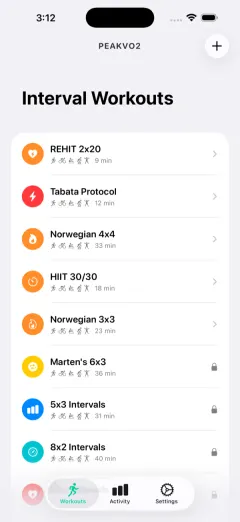
- 16 built-in workouts. The Norwegian 4x4, Tabata, HIIT 30/30, REHIT 2x20, Norwegian 3x3, Marten's 6x3, hill, track, and fartlek intervals, and more, each with warm-up, work, recovery, and cool-down built in.
- VO2 max trend tracking. Because the whole app is built around raising VO2 max, it tracks your estimate over time so you can see the number move.
Improve your VO2 max
Get PEAKVO2 freeCan You Use It Without an Apple Watch?
Yes. PEAKVO2 runs on iPhone alone with the same guided protocols, full-screen phases, and audio and haptic cues. The Apple Watch adds hands-free guidance on your wrist, but it is optional, so you can start on the phone and add the watch later.
Works With Your Apple Watch
PEAKVO2 runs on Apple Watch Ultra and other supported models. The workout is native to the watch, so the display shows your current phase and countdown clearly while you train, and the large Ultra screen makes it easy to read at a glance mid-effort.
How to Set Up an Interval Workout on Apple Watch
You do not build intervals by hand. The protocols are ready to run, so setup is just picking one and starting.
- Install PEAKVO2 from the App Store on your iPhone; the Apple Watch app installs alongside it.
- Open PEAKVO2 on the watch (or start on the iPhone and it hands off to the wrist).
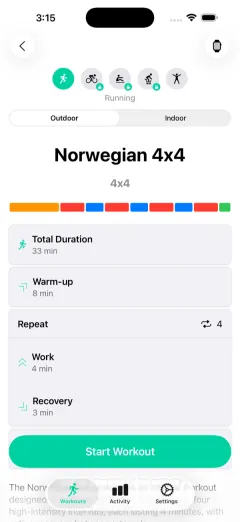
- Pick a protocol, for example the Norwegian 4x4 or Tabata, from the workout list.
- Tap Start. The app runs the warm-up, then moves through work and recovery automatically, showing the current phase full screen and tapping your wrist at each switch.
- Just train. Heart rate and duration are tracked on the watch and saved to Apple Health when you finish.
Because the timing, phases, and cues are all built in, there is nothing to program: the workout you picked runs itself.